
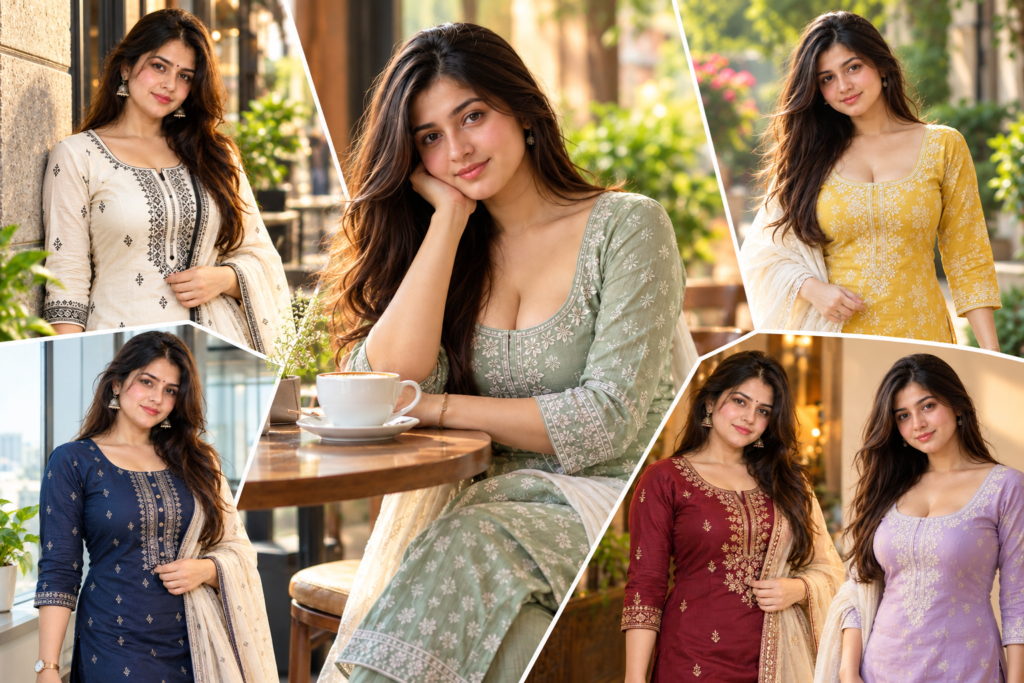
Hi, I’m Ravindra Kaushik. Want to turn an ordinary photo into a stylish kurti portrait without changing your overall appearance? These Trending Kurti AI Photo Editing Prompts for Girls are designed for that exact purpose.
Instead of repeating the same outfit style, this collection offers different looks with changes in kurti style, location, pose, lighting, and camera angle. You can also explore our Gemini AI photo editing prompts for girls for more fashion and portrait ideas, then customize these prompts with your own photo.
Important: For each prompt, upload a clear reference photo first. Keep your original face, hairstyle, and natural appearance unchanged unless you specifically want to edit them.
What You Can Create With These Kurti AI Prompts
With the prompts below, you can create different types of kurti photos such as:
- Soft pastel studio portraits
- Traditional festive kurti photos
- Casual Coffee House lifestyle images
- Modern office-fashion portraits
- Outdoor ethnic fashion photos
- Contemporary street-style kurti portraits
Each prompt is designed to create a noticeably different result rather than just changing the kurti color.
Pastel Kurti Studio Portrait
This prompt creates a clean, soft portrait with pastel clothing, simple surroundings, and controlled studio-style lighting.
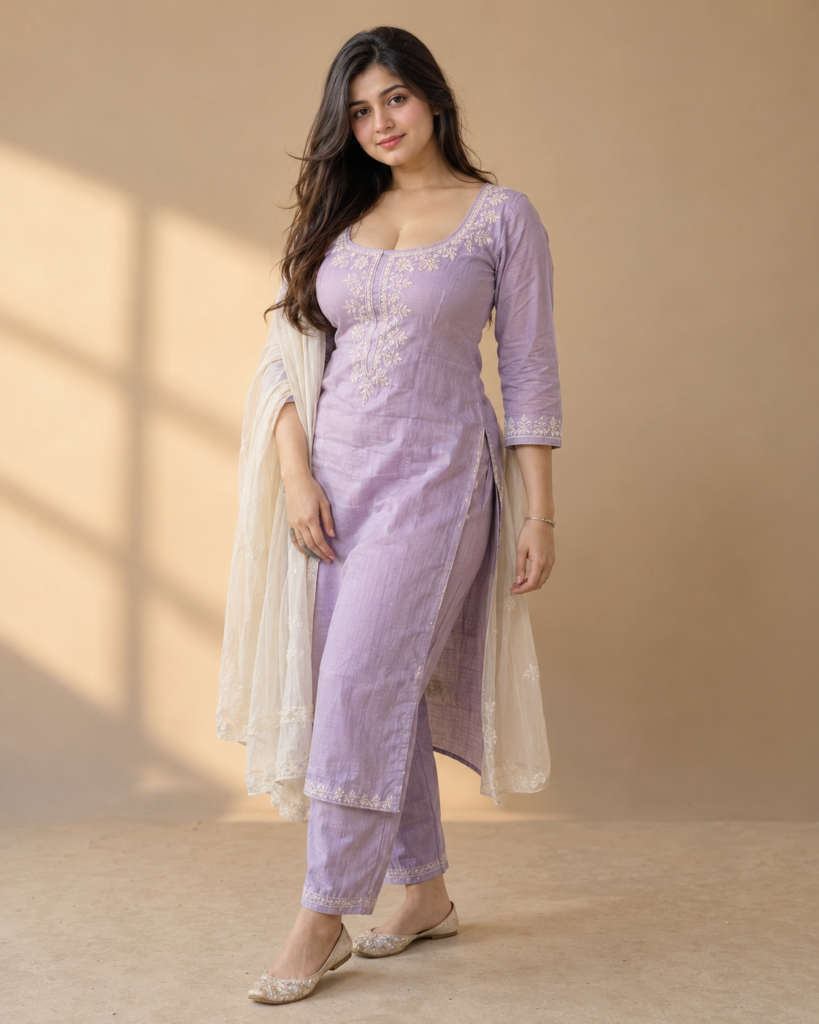
Create an ultra-realistic fashion portrait using my uploaded reference photo.

Preserve my exact facial identity and natural appearance. Keep my face shape, eyes, eyebrows, nose, lips, jawline, skin tone, hairstyle, and all recognizable facial features unchanged. Keep my natural body proportions and overall appearance consistent with the reference photo.

Dress me in an elegant pastel lavender cotton kurti with subtle white embroidery around the neckline and sleeves, paired with matching straight pants and a lightweight cream dupatta. Make the fabric look realistic with natural folds, stitching, texture, and believable draping.

Place me inside a minimal studio with a warm beige background and soft diffused window light coming from one side.

I am standing in a relaxed three-quarter pose with one hand naturally resting near the side of the kurti and the other relaxed by my side.

I am looking directly into the camera with a calm, confident, natural expression.

Use realistic skin texture, detailed hair, soft shadows, natural fabric texture, and subtle background depth.

Professional fashion portrait photography, 50mm lens, shallow depth of field, realistic skin tones, balanced exposure, natural color grading.

The final image should look like a genuine professional camera photograph, not an illustration or heavily processed AI image.

Vertical 4:5 composition, ultra-high resolution.
Best for: Clean Instagram portraits, profile-style photos, and simple fashion posts.
Festive Embroidered Kurti Portrait
This prompt gives you a more traditional look using richer colors, embroidery, warm lighting, and an Indian home setting.
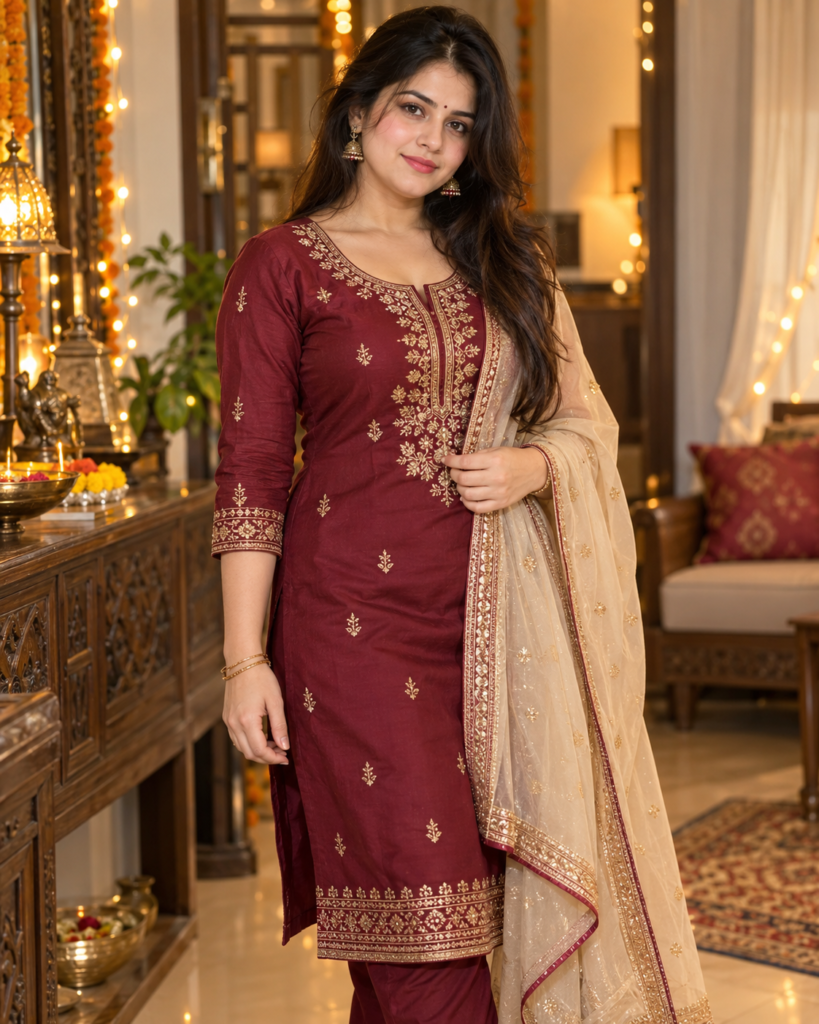
Create an ultra-realistic festive Indian fashion portrait using my uploaded reference photo.

Preserve my exact facial identity and natural appearance. Keep my face shape, eyes, eyebrows, nose, lips, jawline, skin tone, hairstyle, and recognizable facial features unchanged. Maintain my natural body proportions and overall appearance.

Dress me in a deep maroon straight-cut kurti with delicate golden embroidery, matching trousers, and a lightweight beige dupatta naturally draped over one shoulder. Add small traditional earrings and minimal bangles that complement the outfit.

Place me inside an elegant traditional Indian home with wooden furniture, soft curtains, warm decorative lights, and subtle festive details in the background.

I am standing slightly angled toward the camera, gently holding the edge of the dupatta with one hand while the other hand remains relaxed.

I am looking directly at the camera with a graceful and composed expression.

Use warm golden ambient lighting with soft highlights on the face and realistic shadows throughout the room.

Create realistic embroidery, authentic fabric texture, natural clothing folds, detailed hair strands, realistic skin texture, and soft cinematic background blur.

Professional Indian fashion photography, 85mm lens, shallow depth of field, realistic skin tones, warm cinematic color grading.

The final image should look like a professionally photographed festive fashion portrait.

No text, no logos, no excessive face smoothing.

Vertical 4:5 composition, ultra-high resolution.
Best for: Festive posts, traditional outfits, and ethnic fashion photography.
Casual Kurti Coffee House Portrait
This one is designed as a candid lifestyle image rather than a formal fashion portrait.
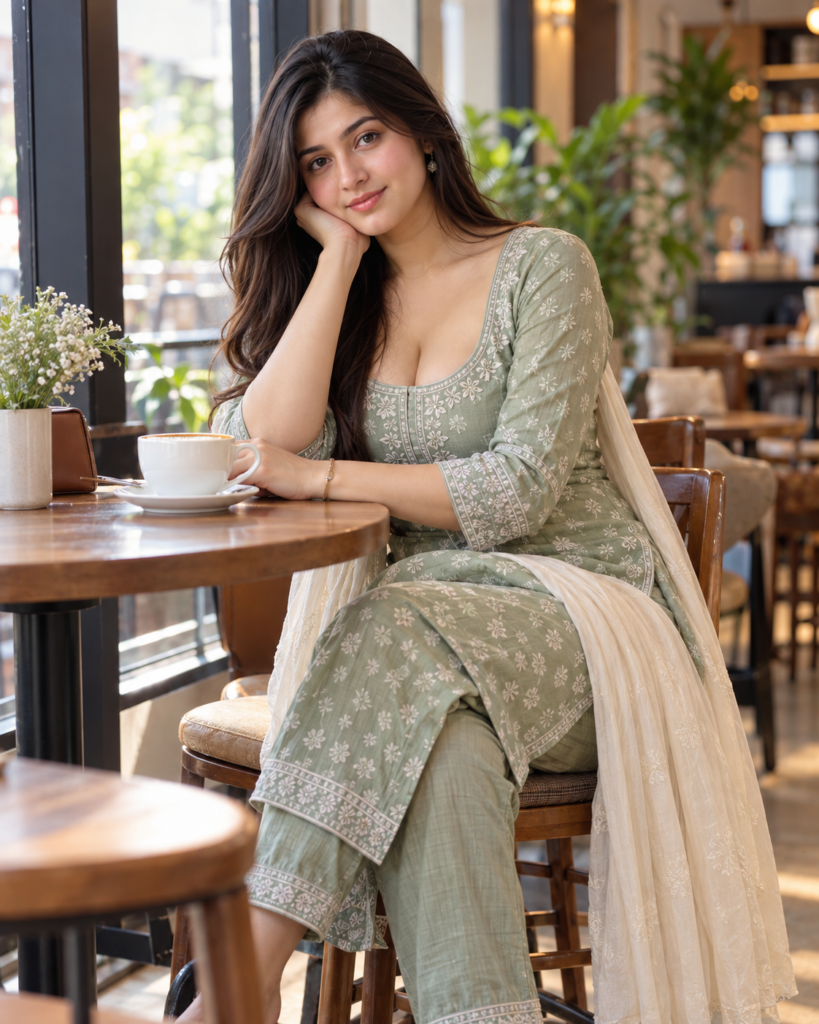
Create an ultra-realistic casual lifestyle photograph using my uploaded reference photo.

Preserve my exact facial identity and natural appearance. Keep my face shape, eyes, eyebrows, nose, lips, jawline, skin tone, hairstyle, and recognizable facial details unchanged. Keep my natural body proportions and realistic appearance.

Dress me in a sage-green printed cotton kurti with a cream dupatta, simple earrings, and minimal everyday accessories.

Place me sitting beside a large window inside a stylish modern Coffee House with warm wooden furniture, indoor plants, subtle decorative details, and a softly blurred background.

I am sitting naturally at a small Coffee House table with one hand resting near a coffee cup while the other hand is relaxed.

I am looking slightly toward the camera with a relaxed expression, as if the photograph was captured naturally during a casual Coffee House visit.

Use soft afternoon window light across my face and clothing with realistic highlights, gentle shadows, and natural skin texture.

Use a 35mm lifestyle photography look with realistic depth of field, subtle background bokeh, natural colors, and detailed fabric texture.

The final image should feel like a genuine candid photograph taken with a professional camera.

Avoid excessive beauty retouching, plastic skin, distorted hands, and unrealistic body reshaping.

Vertical 4:5 composition, ultra-high resolution.
Best for: Casual social media posts, Coffee House photos, and lifestyle content.
Modern Office Kurti Look
This prompt combines traditional clothing with a cleaner contemporary setting and professional styling.
Create an ultra-realistic modern office-fashion portrait using my uploaded reference photo.

Preserve my exact facial identity and natural appearance. Keep my face shape, eyes, eyebrows, nose, lips, jawline, skin tone, hairstyle, and recognizable facial features unchanged. Keep my original body proportions and overall appearance consistent.

Dress me in a sophisticated navy-blue straight kurti with subtle geometric detailing, tailored straight trousers, a lightweight neutral dupatta, simple earrings, and a minimal wristwatch.

Place me inside a bright contemporary office with large windows, modern furniture, subtle indoor plants, and clean architectural details.

I am standing near a window in a natural three-quarter pose with one hand holding the edge of the dupatta and the other relaxed naturally.

I am looking directly into the camera with a confident but approachable expression.

Use soft daylight from the side, realistic shadows, natural skin texture, detailed hair, realistic kurti fabric, and subtle background separation.

Professional editorial portrait photography, 50mm lens, realistic camera perspective, moderate depth of field, natural skin tones, clean neutral color grading.

The final image should look like a real professional fashion photograph.

Avoid excessive retouching, unrealistic body reshaping, artificial skin, and distorted hands.

Vertical 4:5 composition, ultra-high resolution.
Best for: Professional profiles, work-related fashion posts, and polished everyday looks.
Outdoor Kurti Fashion Portrait
This prompt uses movement and natural surroundings to make the composition more dynamic.
Create an ultra-realistic outdoor Indian fashion portrait using my uploaded reference photo.

Preserve my exact facial identity and natural appearance. Keep my face shape, eyes, eyebrows, nose, lips, jawline, skin tone, hairstyle, and all recognizable facial characteristics unchanged. Maintain my natural body proportions and realistic appearance.

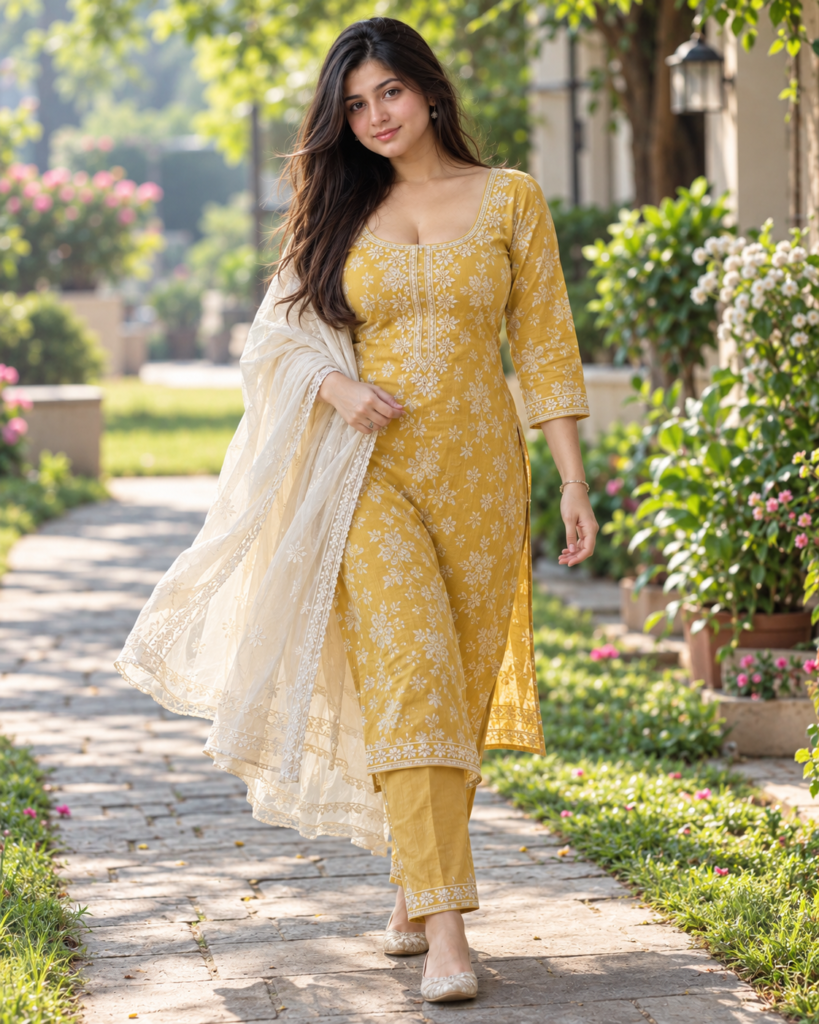
Dress me in a mustard-yellow floral cotton kurti with subtle white embroidery, matching straight pants, and a lightweight cream dupatta moving naturally with the environment.

Place me on a quiet garden pathway surrounded by green plants, soft flowers, and natural greenery.

I am walking slowly along the pathway while turning slightly toward the camera. One hand is naturally holding the edge of the dupatta while the other arm remains relaxed.

I am looking toward the camera with a soft natural expression while casually posing for the photograph.

Use gentle early-morning sunlight with natural highlights and soft shadows.

Create authentic cotton texture, realistic embroidery, natural skin texture, detailed hair strands, realistic hands, believable shadows, and soft background blur.

Professional outdoor fashion photography, 85mm lens, shallow depth of field, realistic perspective, natural skin tones, soft warm color grading.

The final image should look like a genuine outdoor camera photograph.

No artificial body reshaping, no plastic skin, no excessive makeup, no text, and no logos.

Vertical 4:5 composition, ultra-high resolution.
Best for: Garden portraits, traditional fashion content, and natural-looking outdoor photos.
Contemporary Street-Style Kurti Portrait
This prompt moves away from traditional settings and gives the kurti a modern street-fashion treatment.
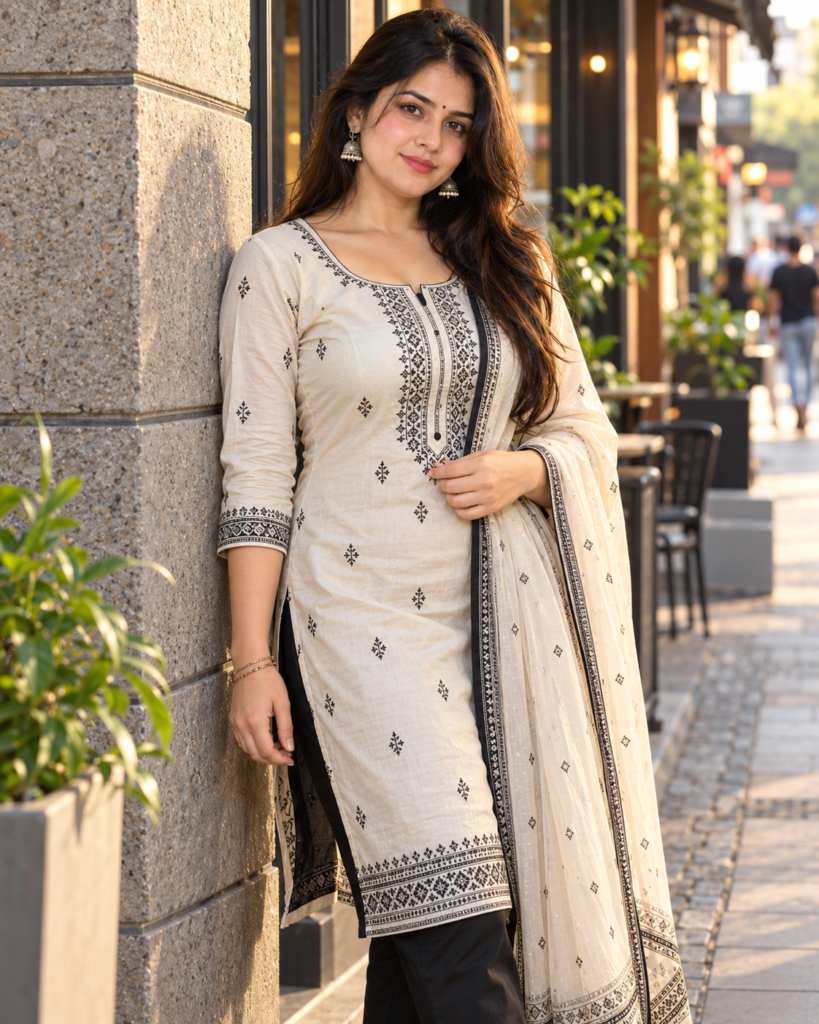
Create an ultra-realistic contemporary street-fashion portrait using my uploaded reference photo.

Preserve my exact facial identity and natural appearance. Keep my face shape, eyes, eyebrows, nose, lips, jawline, skin tone, hairstyle, and recognizable facial features unchanged. Keep my natural body proportions consistent with the reference image.

Dress me in a modern off-white kurti with subtle black geometric prints, straight black trousers, a lightweight neutral dupatta, and simple contemporary earrings.

Place me on a clean urban street with textured architecture, a small Coffee House entrance, subtle greenery, and softly blurred pedestrians in the distance.

I am standing near a textured wall with one shoulder slightly angled toward the camera. One hand is holding the edge of the dupatta while the other hangs naturally.

Use an eye-level camera angle and a relaxed editorial expression.

Create soft late-afternoon light with realistic shadows and mild warm highlights across the clothing.

Use a 35mm street-fashion photography style with realistic perspective, natural skin texture, detailed fabric, subtle environmental reflections, and moderate background blur.

The final image should look like a genuine contemporary fashion photograph rather than a studio-generated image.

Keep the colors natural and avoid excessive cinematic effects or artificial skin smoothing.

Vertical 4:5 composition, ultra-high resolution.
Best for: Modern fashion pages, street-style posts, and contemporary ethnic looks.
How to Use These Kurti AI Photo Editing Prompts
Using these Kurti AI Photo Editing Prompts is simple. Follow these steps to create your images with Gemini or another AI image editor.
- Open Gemini or your preferred AI image editor.
- Upload a clear reference photo.
- Choose a suitable prompt from the article.
- Copy the complete prompt.
- Paste it into the image editor.
- Generate the image.
For better results, use a clear photo where the face and important details are visible.
How to Customize the Prompts
You can easily customize these prompts according to your preferred style, outfit, location, pose, and camera setup.
Replace the outfit description with your preferred clothing style.
Change the Outfit
Replace the background with a location that matches the style you want.
Change the Location
Try different poses to create more natural and varied results.
Change the Pose
You can change the camera style to create different photography looks.
Change the Camera Style
Choose the aspect ratio according to where you plan to use the generated image.
Change the Aspect Ratio
Yes. Upload a clear reference photo and use the prompt with your preferred AI image editor. A well-lit image with a clearly visible face generally gives the editor more useful visual information.
Can I use these prompts with my own photo?
Yes. You can replace the outfit description with your preferred clothing while keeping the overall photography style, pose, lighting, and composition.
Can I change the outfit in the prompt?
Yes. You can replace the location with a Coffee House, rooftop, beach, street, garden, hotel, studio, or another setting that matches the look you want.
Can I change the background or location?
Use 4:5 for portrait-style social media images, 9:16 for Stories and vertical content, 1:1 for square posts, and 16:9 for wide images and thumbnails.
Which aspect ratio should I use?
Use a clear reference photo and describe the lighting, camera angle, pose, environment, clothing details, and realistic skin texture clearly. Avoid adding too many conflicting instructions to one prompt.
How can I make the generated image look more natural?
Yes. Keep the outfit and overall styling instructions unchanged and modify only the pose or camera angle to create another version.
Can I change the pose without changing the outfit?